I’m in the middle of setting up a Windows jumpserver in MS Azure—my little gateway to access some of my private resources. But the mere thought of exposing this bad boy to the entire internet is giving me heartburn… So here I am, on a quest to figure out whether I can live with this setup or if I should just go ahead and throw on an access list for some peace of mind 🙂
Ways to Secure RDP?
Limit Access
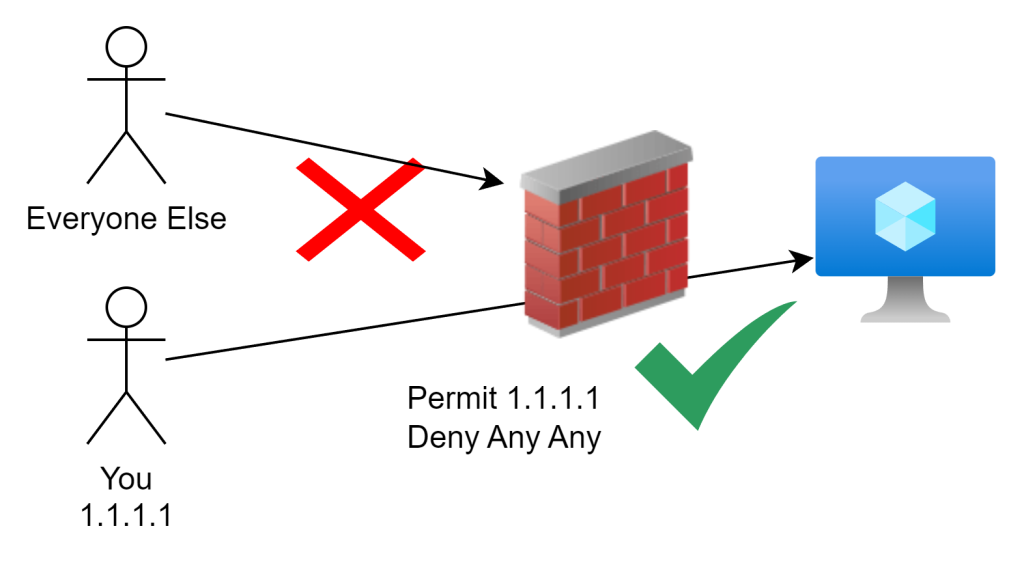
Limiting access by IP whitelisting is usually my go-to move for securing access in an enterprise environment. It’s a straightforward and effective way to shrink the threat or attack surface when you’re working with a static IP address. But here’s the kicker—when you’re operating from home, you don’t always have the luxury of a fixed IP, and it can change on you when you least expect it. That’s where things get a bit tricky… Luckily all major cloud services provide basic firewalling capabilities to accomplish this.
Strong Authentication
Creating strong credentials and avoiding obvious usernames is a smart move because anyone trying to brute-force their way into your machine (and trust me, they will) has to guess the username first. If you make that tricky for them, you’re already ahead of the game. Most brute-force attacks rely on automated scripts that cycle through common usernames like ‘Administrator,’ ‘Admin,’ ‘User,’ and ‘Root.’ Here’s a quick example of how they’d go about it using a tool like Crowbar:
crowbar -b rdp -s IP_ADDRESS/32 -u username -C /path/to/password/list -n 3389

By using less obvious usernames, you’re adding an extra hurdle they have to clear before they even get to guessing your password.
Multi-Factor Authentication
To beef up security even further, in case an attacker somehow manages to brute force or keylog your credentials, it’s a smart move to add another layer of protection for more sensitive environments. Tools like Microsoft Authenticator, Smartcards, YubiKey, Duo, Okta, or similar options can step in to provide that defense in depth. With an additional factor in place, even if someone gets their hands on your password, they’ll still need to get through another barrier to access your system.

Zero Day Exploits
All these security methods are fine and dandy, but what happens when there’s a software vulnerability in Windows? The reality is, depending on the attack vector, even the most foolproof security engineering can be undermined. Having an attack surface exposed to the internet always leaves you open to potential threats.
So, how could this have been mitigated? The tried-and-true method of IP whitelisting. Sure, the machine might still have vulnerabilities, but with IP whitelisting in place, the attacker wouldn’t have been able to even reach the target in the first place.

Recent RDP Vulnerabilities
CVE-2019-1181 / CVE-2020-0609 / CVE-2019-1182
A remote code execution vulnerability exists in Remote Desktop Services – formerly known as Terminal Services – when an unauthenticated attacker connects to the target system using RDP and sends specially crafted requests. This vulnerability is pre-authentication and requires no user interaction. An attacker who successfully exploited this vulnerability could execute arbitrary code on the target system. An attacker could then install programs; view, change, or delete data; or create new accounts with full user rights.
To exploit this vulnerability, an attacker would need to send a specially crafted request to the target systems Remote Desktop Service via RDP.
The Verdict
Sure, exposing RDP to the internet is convenient, but I’m not convinced it’s worth the risk, especially in sensitive environments. History has a way of repeating itself, and this situation is no exception.
If you absolutely must leave it open for some reason—or just want to take the easy way out—I’d strongly suggest at least changing the default port 3389 to something more obscure. And while you’re at it, make sure automatic updates are turned on to keep things as secure as possible.